Getting Started
This section outlines account creation, registration, first login, and subscription plan tiers.
2.1 Registration and Account Creation
Access to the Sorgi platform requires an invitation. Before you can register, you must receive an invite code from your organization's Sorgi administrator or from Dviz Technologies. Once you have that code, you can proceed to create your account.
2.1.1 Accessing the Registration Page
Navigate to sorgi.app and select Create Account. The registration page offers two pathways:
- Single Sign-On (SSO): Sign up using your organization's existing Google Workspace or Microsoft 365 account. This is the recommended option for organizations with a managed identity provider, as it avoids a separate password and aligns with your existing access policies.
- Email and Password: Create an account using a business email address and a secure password. You will be required to enter and confirm the password.
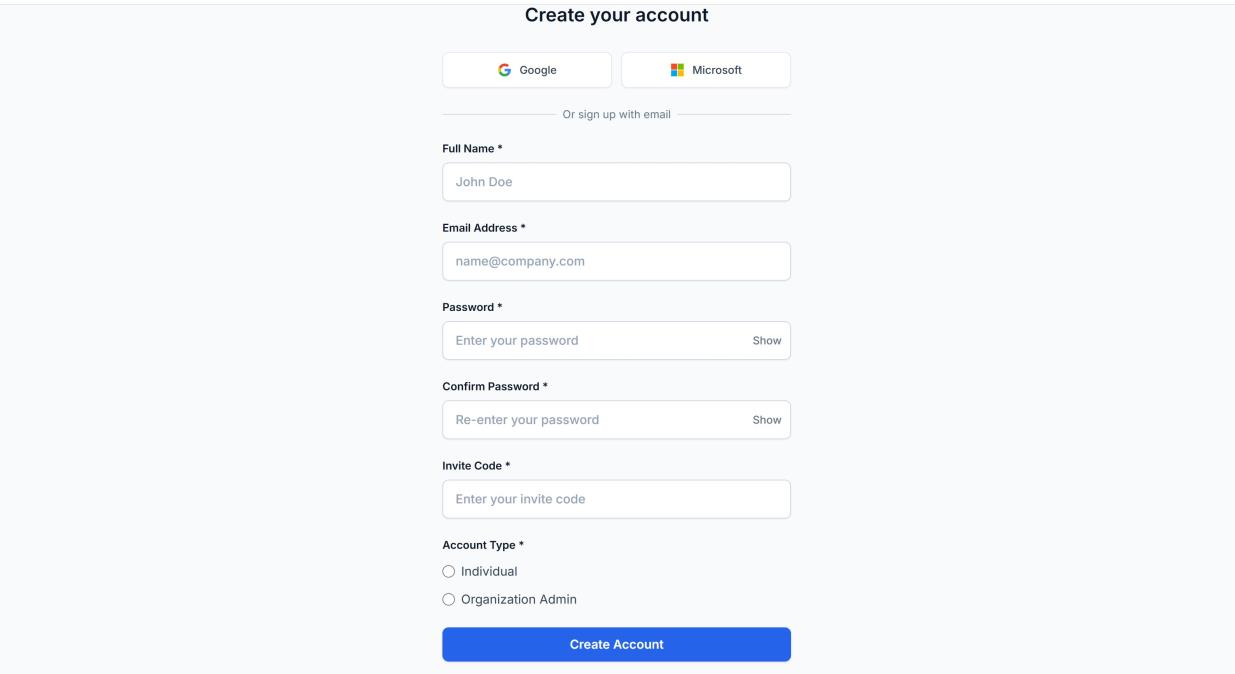
Figure 1: Sorgi Account Registration Page – sign up using email credentials or via your organization's Google or Microsoft SSO.
2.1.2 Completing the Registration Form
Regardless of the sign-up method chosen, the following fields are required:
- Full Name: Your name as it will appear in the system.
- Email Address: A valid business email (e.g.,
name@company.com). - Password and Confirm Password: For email-based registration only.
- Invite Code: The code provided by your administrator or Dviz. Registration will not proceed without a valid code.
- Account Type: Select either Individual (for a personal workspace) or Organization Admin (to set up and administer a shared organizational account).
Once all fields are completed, click Create Account to submit. You will receive a confirmation email to verify your address before your first login.